 Botwarren
Crew
Your sessions
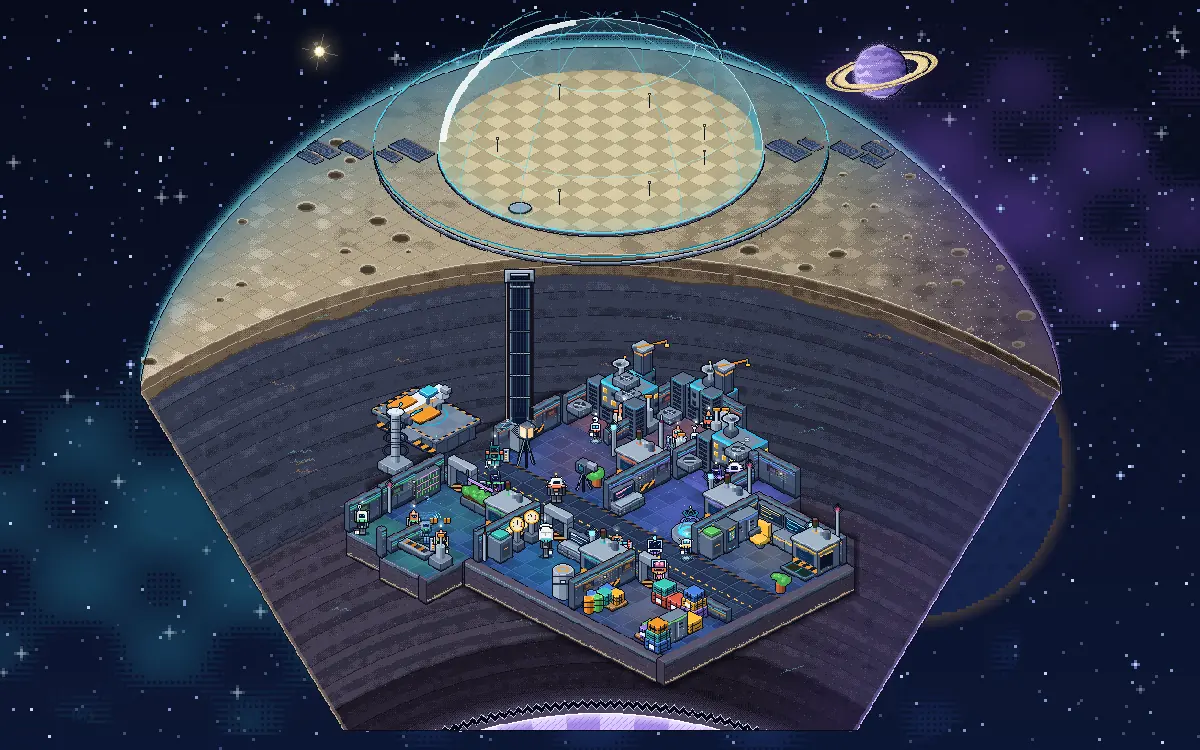
Each Claude Code or Codex session is a crew member: thinking, reading, editing, stuck, or waiting for you. When one needs a human, it says so.
For Claude Code and Codex
Every coding session becomes a crew member. Builds and deploys run the machines. Share it, stream it, or glance at it to see who is waiting on you. Shown a few seconds late, and never your code.
Free · about 3 minutes · open-source agent
StatusWaiting for the ship’s public status.
What you are looking at
Crew
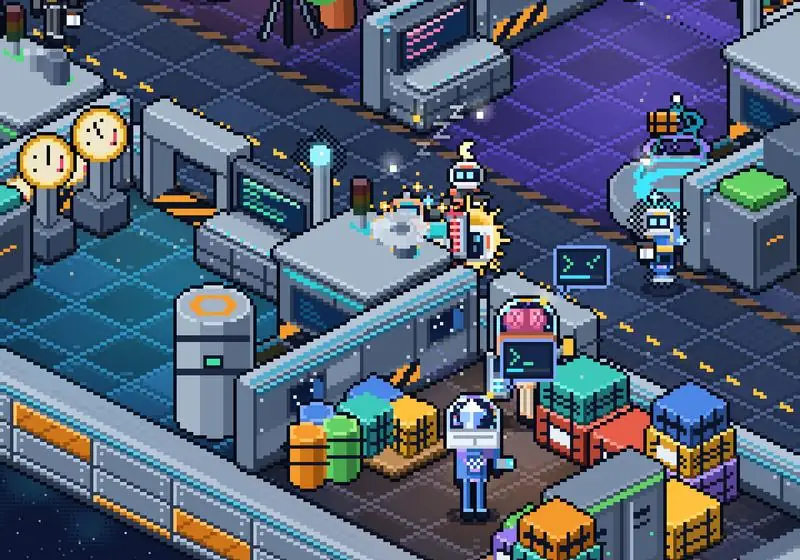
Each Claude Code or Codex session is a crew member: thinking, reading, editing, stuck, or waiting for you. When one needs a human, it says so.
Ship
CI runs light up the machines, a red build sounds the alarm, and a deploy launches the shuttle.
Delay
Only fixed status fields leave your computer: no prompts, files or paths. You choose the delay (10 seconds by default) and can pause any time.
Try it in 20 seconds
A labelled demo ship in your browser. Nothing to install and no sign-in.
 Demo
Made for
Ping
A notification on your phone when a session stops for a human, with quiet hours.
Team
One link shows every agent and build across your projects, without screen sharing.
Stream
A transparent overlay, a mini card or the full scene for OBS. Choose what to share and set a delay. Build the address
README
A live badge and card for your README that opens your ship.
What leaves your computer
Every field we read and send →The ship agent is open source (Apache-2.0).
About three minutes
With GitHub, GitLab or Codeberg. We keep your username and ask for no repository access.
It gets its own address, like mia.botwarren.com. It is link-only until you list it.
Paste it into a terminal on your computer. Your crew appears as soon as a session starts.
Questions
Creating a ship is free today. Sign-ups have a launch cap, so you may be asked to join the waitlist when it is reached; a friend's invite link still lets you in.
New ships are link-only: they are not listed in the Fleet until you list them. Anyone who has the link can still open it, so it is not a password. For nothing to be published at all, pause the agent.
Claude Code and Codex are verified with real session files. Herdr and Ninox are supported by adapters that are fixture-tested but not yet verified against live installs, and OpenCode and Gemini CLI have experimental adapters. The integrations page has the details. Claude Code · Codex · All integrations
Yes. Each crew member is a real session and its state (working, idle, gone) comes from that session; machines and the release shuttle reflect real builds and deploys. Names and personalities are made up, scenery is decoration, and anything marked DEMO is synthetic. A passing build is never shown as a deploy.
Free, about three minutes, and you can remove it with one command.